
Constrict
Compress videos to target sizes
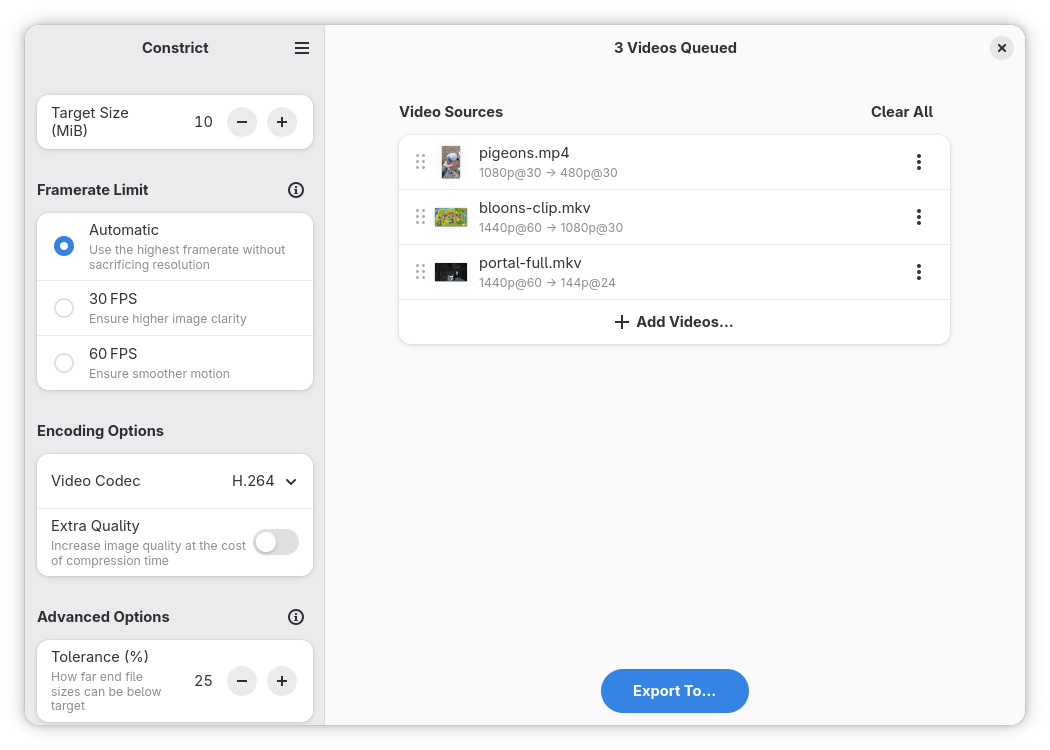
Constrict compresses your videos to your chosen file size — useful for uploading to services with specific file size limits. No more relying on online services for video compression, or the manual trial-and-error of re-encoding at various bitrates yourself.
Features include:
- An intuitive, easy to use interface.
- Automatic calculation of average bitrate (ABR), resolution, framerate, and audio quality each video is re-encoded with to meet the target file size.
- Bulk compression of multiple videos to one output directory.
- Customization of framerate limits, to ensure a clearer or smoother image.
- A choice of codecs to encode output files with, including H.264, HEVC, AV1, and VP9.
The app attempts to retain as much audiovisual quality as possible for the file size given. However, extremely steep reductions in file size can cause significant loss of quality in the output file, and sometimes compression may not be possible at all. All processing is done locally — and as such, compression speeds are only as fast as your hardware allows.
참여하기
인터페이스 탐색


저작자


추가 정보
핵심단어
- AudioVideo
- Clip
- Compress
- Constrict
- Film
- Linux
- Movie
- Video